
Increase Organic CTR for Higher Visibility in Search
Discover how improving your organic click-through rate signals Google to rank your best content higher, helping positive results outshine the negative.
Organic click-through rate is a ranking signal that directly affects how high your content appears in search results. Improving CTR helps positive content outrank negative content, making it a critical tactic in any online reputation management campaign. This article covers practical techniques — from writing better titles to using schema markup and featured snippets — to get more clicks from search engine results pages.
With reputation management, you want content with positive sentiment to rise. To get positive online content to rise, you will need people to click on it and consume it. This will signal search engines like Google to rank your content well. This article discusses how to improve your click-through rate from search engine results to help good content outrank bad content.
In any reputation management campaign, getting positive content to rise in search results is the name of the game. But a few steps must be taken to increase the visibility of content with positive sentiment toward your brand.
One of those is getting people to click on your website in search engine results pages (another is link building). The Click Through Rate (CTR) is a ranking signal for Google. Increasing it can improve the visibility of the page or site.
Here are six hacks that you can use to increase your website’s organic CTR:
- Create Irresistible Meta Descriptions
- Use Schema Markup
- Write Descriptive URLs
- Use Attractive Images
- Aim for Featured Snippets
1. Work on Your Titles
As research from Moz and studies by Semrush and Backlinko consistently show, there is a direct correlation between organic click-through rate and search engine rankings.
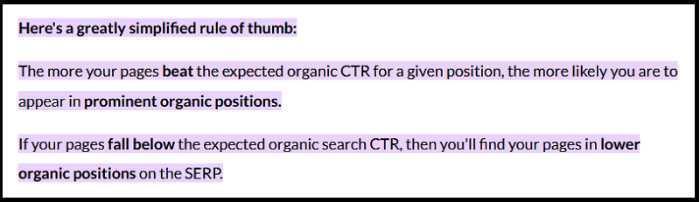
The better your CTR, the higher you rank.
This means that if you want to improve your website’s organic CTR, you need to start with your titles. Your title is the first thing people see in the search results, so it needs to be catchy and relevant.
Here are a few tips for writing titles that will help increase your CTR:
- Keep It Concise and Informative
- Include Your Keywords
- Intrigue the Reader
- Use Power Words
- Add Numbers and Symbols
Keep It Concise and Informative
Your title is the first thing people see in the search results, so it must be both concise and informative. If it is too long, readers lose interest before reaching the point. If it is too short, they won’t know what your page is about.
Aim to keep titles under roughly 60 characters to minimize truncation in search results. While Google has become more aggressive about rewriting title tags since 2021, SEO authorities like Moz and Semrush still recommend prioritizing clarity and relevance — a well-crafted title within that range gives you the best chance of appearing as intended.
Include Your Keywords
Always include your target keywords in your titles. People are more likely to click on a result that contains the words they searched for, and keywords in titles can also support rankings.
However, as Google suggests, avoid stuffing your title with too many keywords. This makes titles difficult to read and discourages clicks. Use keywords sparingly and focus on readability and relevance.
Get a Free Reputation Assessment
Find out what people see when they search for you online. No obligation — results in 24 hours.
Intrigue the Reader
Beyond being informative and keyword-rich, your title should grab attention and make people want to learn more. One effective technique is to use questions or cliffhangers.
For instance, instead of “How to increase your website’s CTR,” try “Want to increase your website’s CTR? Here are five hacks that will help!”
Use Power Words
Power words evoke an emotional response and prompt action. Using them in your titles helps you stand out from the competition and increase organic clicks.
Some examples of power words include:
- Amazing
- Incredible
- Unbelievable
Add Numbers and Symbols
Adding numbers and symbols makes titles more eye-catching and easier to remember. For example, instead of “Ways to increase your website’s CTR,” try “Get a higher CTR with these five easy hacks!” People are more likely to click when they see specific, scannable details in search results.
2. Create Irresistible Meta Descriptions
In addition to working on your titles, you should create compelling meta descriptions — the short text that appears under your title in search results.
Research by Ahrefs shows that Google rewrites meta descriptions approximately 63% of the time. A 2023 study by Portent puts that rewrite rate closer to 71%.
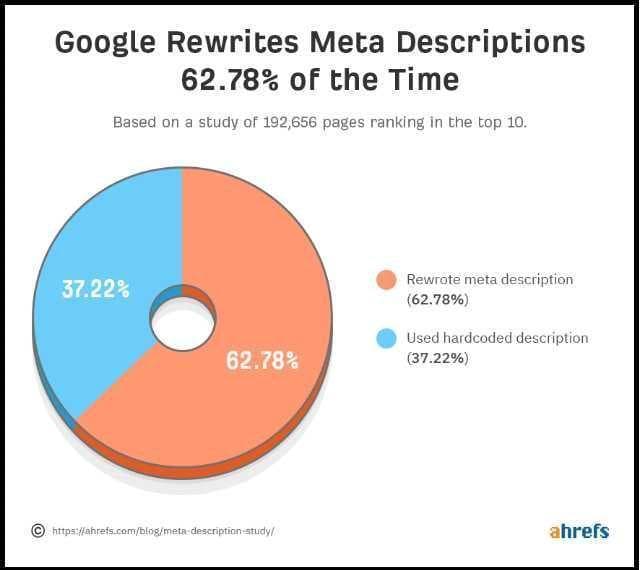
You might wonder why it’s worth investing time in meta descriptions if Google often rewrites them. While they don’t directly affect CTR, they can indirectly influence it by making people want to click. A well-written description also gives Google better source material to work with.
Here are some tips for writing effective meta descriptions:
- Keep the Right Length
- Make It Unique
- Add a CTA
- Include Your Focus Keywords
- Consider Search Intent
Keep the Right Length
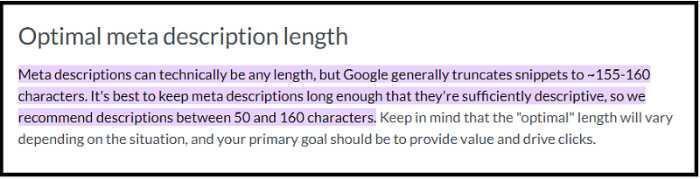
Meta descriptions should ideally stay under 155–160 characters to avoid being truncated on desktop. Mobile SERPs may cut off descriptions even earlier, around 120 characters, so front-loading the most important information is a smart habit.
Make Meta Descriptions Unique
Each meta description should be unique. Copying and pasting the same description across multiple pages looks unprofessional and can hurt your SEO. Tailor each one to the specific content of the page it represents.
Add a Call to Action
Include a call to action (CTA) where possible. A CTA is a short phrase that encourages a specific action — for example, “Click here to learn more” or “Visit our website for more information.” You can also briefly explain how your content will help the reader.
Consider Search Intent
Search intent refers to what a user is actually trying to accomplish with a query. Someone searching “buy shoes online” wants to make a purchase, while someone searching “how to clean leather shoes” wants information.
Aligning your meta descriptions with search intent ensures they are relevant to what people are looking for, which helps attract more clicks and improve CTR.
Want Positive Content to Outrank the Negative?
Our team builds and optimizes content designed to rise in search results and protect your online reputation.
3. Use Schema Markup
Another way to increase your organic CTR is to use schema markup — code added to your website HTML that helps search engines understand your content.
Schema markup can be used for a variety of purposes, including:
- Adding star ratings to reviews
- Displaying event information
- Listing recipes
Implementing schema markup helps your listings stand out in search results and attract more clicks. To generate and validate schema markup, Google’s Structured Data Markup Helper is a useful starting point. For testing your implementation, use the Rich Results Test and the Schema Markup Validator.
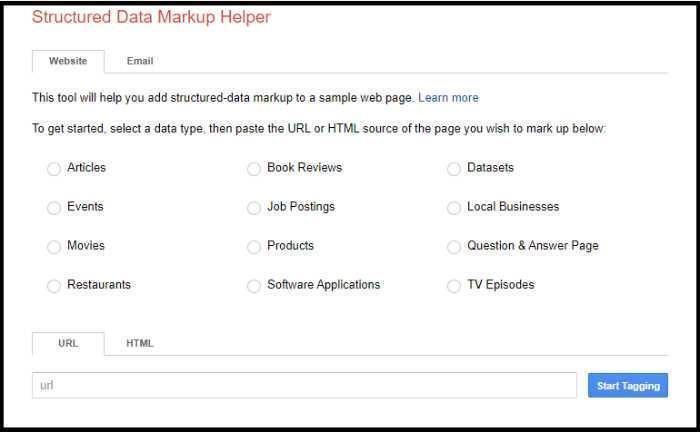
If you use WordPress, the process is simpler. Install an SEO plugin that automatically adds schema markup to your content:
- Yoast SEO
- All in One SEO (AIOSEO)
- Rank Math SEO
- SEOPress
Once installed, your content will have a better chance of earning rich features in the SERPs. For a deeper look at how structured data supports your broader online presence, see our guide on mastering Knowledge Panels with structured data optimization.
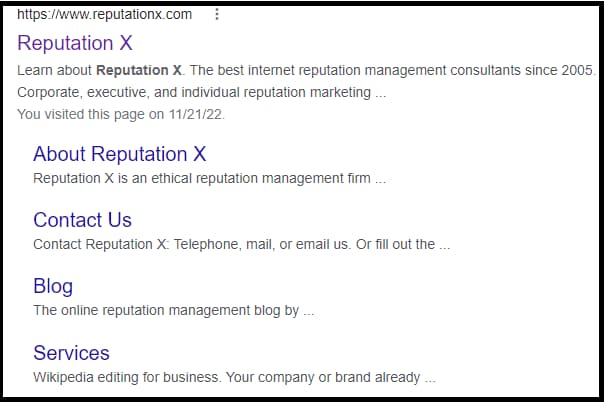
For example, earning sitelinks helps your content stand out from the competition:
4. Write Descriptive URLs
Writing descriptive URLs is another SEO tactic that can improve your organic CTR. A good URL should be short, easy to read, and relevant to the page it represents. It should also include your focus keyword.
For example, a blog post about SEO tips might use a URL like example.com/seo-tips. Descriptive URLs give people a clearer idea of what your page covers before they visit it — which can increase the likelihood of a click.
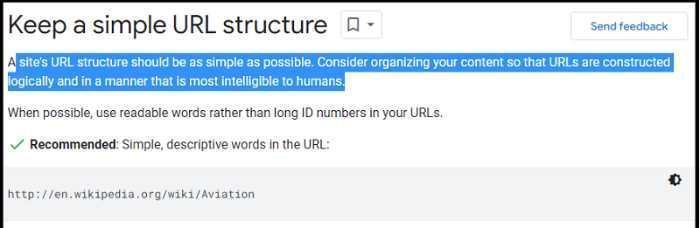
Google recommends using “short and descriptive URLs that accurately describe the content of the page.”
To edit your URL in WordPress, go to the post or page you want to update and look for the “permalink” field. From there, you can edit the URL and save your changes.
5. Use Attractive Images
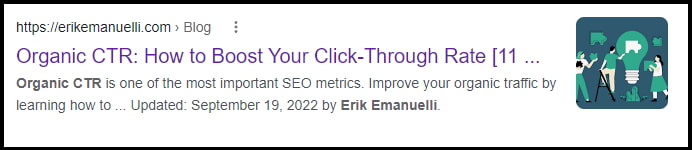
Using attractive, relevant images is another way to improve your organic CTR. Images help your website stand out in the search results, and snippets with images tend to earn more clicks and engagement than those without.
When selecting images, make sure they are relevant to the page content. Optimize them for SEO by including keywords in the file name and alt text. Image thumbnails are a well-established feature of Google’s mobile search results and Google Discover, and using high-quality, relevant images is the strongest foundation for getting selected.
Here are additional tips for creating effective media:
- Consider Your Audience
- Make It Relevant
- Build Your Own Media
- Spark Emotion
Consider Your Audience
Think about who your target audience is and what kinds of images they respond to. Consider what they are likely to share. Creating images that appeal to your audience can increase engagement and improve organic reach.
Make It Relevant
Images should relate directly to the content on the page. If you are writing about gardening, include an image of plants — not an unrelated subject. Relevant images help Google understand your content and can support your SEO.
Build Your Own Media
Free stock photos are widely available, but their quality is often inconsistent. Building your own library of high-quality, original images creates a more professional-looking website and is more likely to attract organic traffic.
Spark Emotion
Images that evoke emotion encourage readers to share your content and return for more. Whether your topic is serious or uplifting, choosing images that match the emotional tone of your content can improve engagement and social sharing — both of which support SEO over time.
6. Aim for Featured Snippets
According to a 2023 analysis by Semrush, featured snippets capture approximately 35% of total clicks for the queries they appear in — making them one of the highest-value positions in search results.
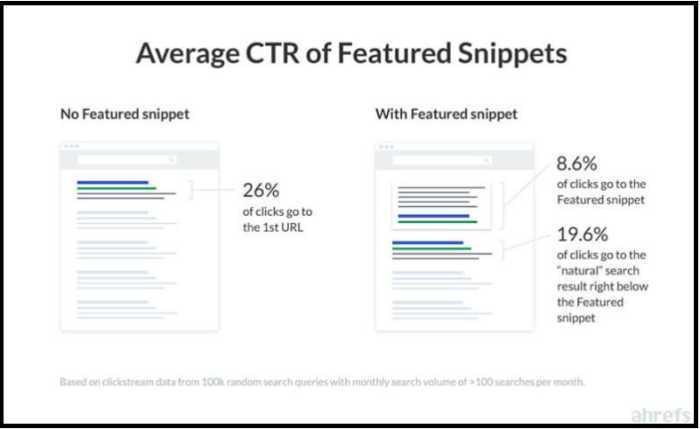
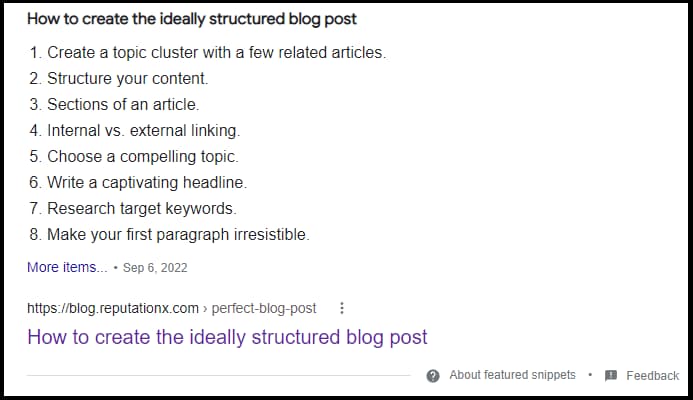
A featured snippet is a summary answer to a user’s question displayed at the top of the search results — sometimes called the “zero position.” There are four types:
- Paragraph
- List
- Table
- Video
While earning a featured snippet is not guaranteed, the following strategies improve your chances:
- Target Long-Tail Keywords
- Answer Questions
- Improve E-E-A-T
Target Long-Tail Keywords
Long-tail keywords are more specific and less competitive than broad, general terms. For example, “plumber in Seattle” is easier to rank for than “plumber,” and it attracts more qualified traffic. Targeting long-tail keywords improves your visibility and increases the likelihood of earning a featured snippet.
Answer Questions
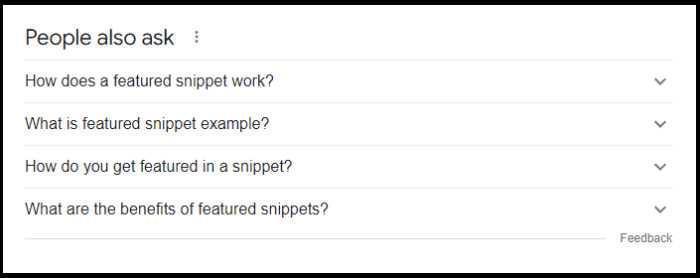
Structuring content to directly answer common questions is one of the most effective ways to earn featured snippets. You can do this by adding an FAQ section to your pages or by writing blog posts that address common questions in your industry.
This approach can also help you appear in Google’s “People Also Ask” boxes. Learn more in our guide on People Also Ask SEO.
Improve E-E-A-T
E-E-A-T stands for Experience, Expertise, Authoritativeness, and Trustworthiness — a framework Google expanded in December 2022 to place greater emphasis on first-hand experience as a quality signal. Google has made clear that E-E-A-T plays an important role in how content is evaluated.
There are several ways to strengthen your E-E-A-T signals:
- Write high-quality content. Demonstrating first-hand experience through author bios, credentials, and real-world expertise is now explicitly valued alongside the original three pillars.
- Get expert mentions. Recognition from established experts in your field strengthens your authority signals.
- Earn links from high-quality websites. Links from authoritative sources signal to Google that your content is trustworthy.
Final Thoughts on Organic CTR
Increasing your organic CTR can make the difference between a few hundred visitors from Google and hundreds of thousands. The six tactics covered here — optimizing titles, meta descriptions, schema markup, URLs, images, and featured snippet targeting — each contribute to a stronger search presence.
For a broader look at how these tactics fit into a full reputation strategy, see our overview of SEO reputation management.
Frequently Asked Questions







Protect Your Online Reputation
Every day you wait, negative content gets stronger. Talk to our experts about a custom strategy for your situation.
Get Your Free Analysis